Everything in Teleprompter Premium+ starts with a script. Here is how to create one in under a minute.
Create a script
- Open the app. You land on My Scripts, your script library.
- Tap the compose button (bottom right) or the + in the toolbar.
- Give the script a title, then write or paste your text. There is no length limit.
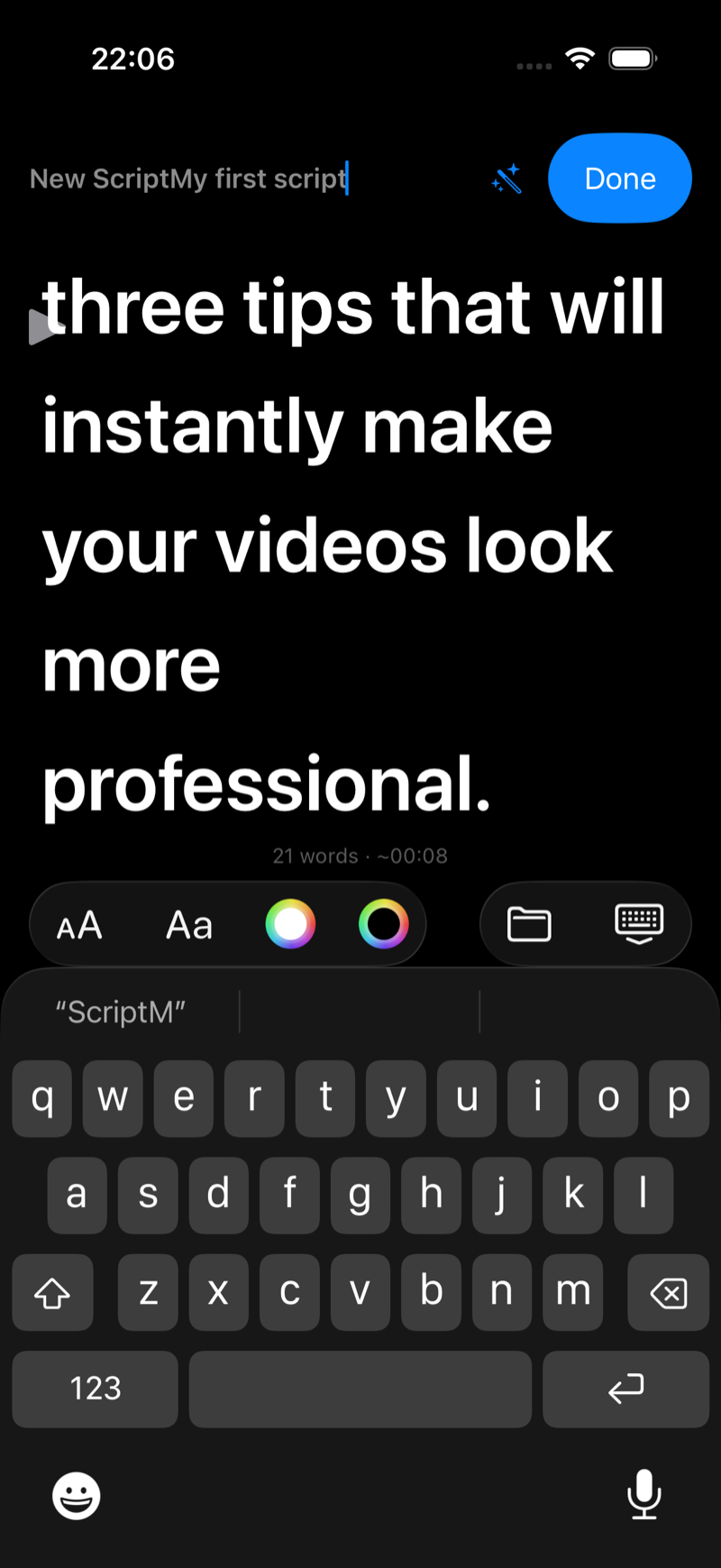
The same editor opens everywhere you edit: when you create a script, when you edit it from the library, and when you tap Edit Script inside the player. What you see is always the same editing experience.
Paste from anywhere
Most people write scripts elsewhere first: a notes app, a Google Doc, an AI chat. Just copy the text and paste it into the editor. You can also send scripts to the app from the web, see Send scripts from the web to the app with one link.
Polish it with AI
The editor has a built-in AI review that sends your script to Claude or ChatGPT with a prompt engineered for spoken delivery, and lets you paste the improved version straight back. See Improve your script with Claude or ChatGPT (built-in AI review).
Keep your library tidy
Scripts live in the My Scripts library, where you can search, create folders, duplicate, rename and delete. See Organize your scripts with folders, search and grid view.
Ready to read it? Continue with How to use the teleprompter.